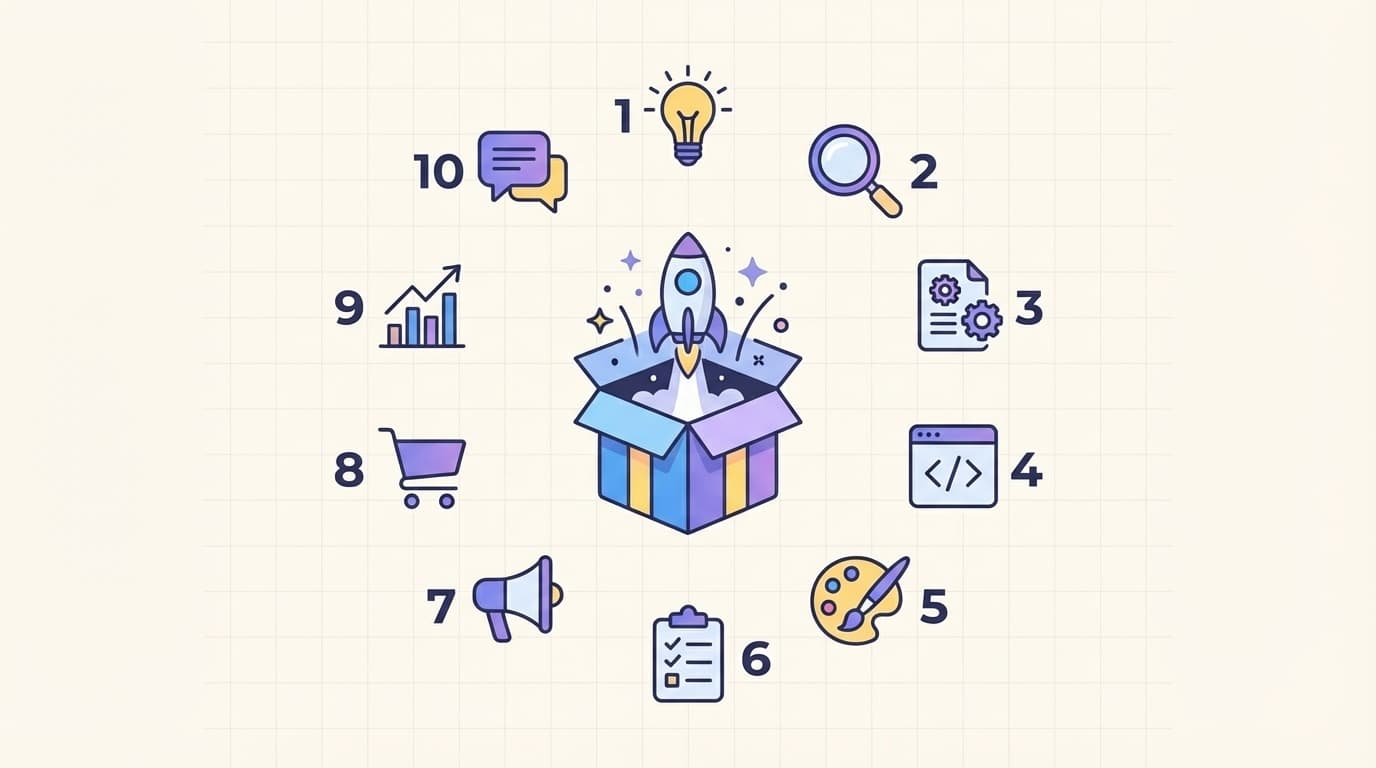
In the fast moving world of digital entrepreneurship, knowing the first 10 steps to launching a digital product separates thriving startups from those that never gain traction. Whether you are creating an online course, SaaS tool, ebook, or membership site, following a clear process prevents wasted time and money while building real momentum from day one.
This guide delivers the precise sequence every founder needs. Complete each step in order and your digital product will launch ready to attract customers, generate revenue, and scale smoothly. Each action builds directly on the strong online presence and professional branding you already established.
Step 1: Validate Your Idea with Real Customer Feedback
Before writing a single line of code or creating content, confirm people actually want what you plan to sell. Create a simple landing page that describes your digital product and collects email sign ups or pre orders. Share it with your network and run quick surveys or interviews with ten to twenty potential users.
Ask specific questions about their pain points and willingness to pay. Tools like Google Forms or Typeform make this effortless. If feedback shows strong demand, move forward. If not, refine the concept now while changes cost nothing. This validation step alone saves most startups from launching products no one buys.
Step 2: Define Your Target Audience and Buyer Personas
Narrow your focus to the exact people who will benefit most. Build detailed buyer personas that include age, job title, daily challenges, and where they spend time online. This clarity guides every future decision from pricing to marketing messages.
Review your earlier audience research from branding work to ensure consistency. When your digital product speaks directly to a well defined group, conversion rates rise and marketing becomes far more effective.
Step 3: Build a Minimum Viable Product or MVP
Create the smallest version that still solves the core problem. For a course, record five key lessons. For software, develop only the essential features. Focus on speed and functionality rather than perfection.
Use no code tools like Bubble or Carrd when possible to test quickly. The goal is to get a working version in front of real users fast so you can gather data before investing more resources.
Step 4: Choose the Right Tools and Platform
Select platforms that match your technical comfort and budget. Options like Teachable or Thinkific work well for courses while Gumroad or Stripe suit simple downloads. For custom SaaS, consider no code builders or reliable hosting providers.
Prioritize tools that handle payments, delivery, and customer access automatically. Test everything thoroughly so the user experience feels seamless from the first click.
[Image: Simple flowchart illustration showing the first five steps of a digital product launch checklist with connected icons for validation, audience research, MVP building, tool selection, and content creation, representing the structured first 10 steps to launching a digital product]

Step 5: Develop High Quality Content and Core Features
Now focus on creating the actual product. Write clear, engaging material or build features that deliver immediate value. Keep language benefit focused and easy to understand. Use your brand voice consistently so the product feels like a natural extension of your startup identity.
Record professional videos, design clean interfaces, and add helpful resources. Quality at this stage builds trust and encourages positive reviews right after launch.
Step 6: Set Up Secure Payment and Delivery Systems
Choose payment processors like Stripe or PayPal that protect both you and your customers. Configure automatic delivery so buyers receive instant access after purchase. Set up tax handling and refund policies that match your location and industry rules.
Test the entire checkout flow multiple times. A smooth buying experience reduces cart abandonment and builds confidence in your brand.
Step 7: Create a Professional Landing Page and Sales Funnel
Design a dedicated sales page that explains the problem, presents your solution, and includes clear calls to action. Incorporate elements from your earlier website launch checklist so the page loads fast and looks polished on every device.
Add testimonials, benefit bullets, and a strong guarantee. This page becomes the main conversion tool that turns visitors into paying customers during and after launch.
Link back to your main site for deeper trust signals and to strengthen overall online presence as discussed in our guide on how startups can build a strong online presence.
Step 8: Build Pre Launch Buzz and Grow Your Email List
Start collecting emails months before launch. Offer a free lead magnet related to your product such as a mini course or checklist. Share valuable content on social media and through guest posts to attract the right audience.
Create urgency with a waitlist and early bird pricing. Consistent communication keeps potential buyers excited and ready to purchase on launch day.
For more on avoiding common early errors that hurt credibility, review our article on startup branding mistakes to avoid early.
[Image: Clean infographic timeline displaying all ten steps to launching a digital product with green checkmarks, progress arrows, and milestone icons, highlighting a complete startup digital product launch checklist]

Step 9: Develop a Full Marketing and Launch Strategy
Plan your launch day tactics in advance. Schedule social posts, email sequences, and possible paid ads. Reach out to influencers or podcast hosts in your niche for potential promotion. Prepare press materials and a simple launch announcement.
Decide on launch type whether it is a soft rollout to existing subscribers or a big public event. Align everything with your overall startup goals so the launch supports long term growth.
Step 10: Launch, Measure Results, and Iterate Quickly
Go live and monitor key metrics like sales, sign ups, and feedback immediately. Use Google Analytics or built in platform dashboards to track performance. Respond to early customer comments and fix any issues the same day.
Schedule your first product update within two weeks based on real usage data. This continuous improvement cycle turns your initial launch into a foundation for ongoing success and higher revenue.
By completing these first 10 steps to launching a digital product, you create a solid foundation that minimizes risk and maximizes results. Your startup gains a revenue generating asset that grows alongside your brand and online presence. Start with validation today and follow through each step methodically. The effort you invest now pays off every time a new customer clicks buy.
admin
Digital product designer and software engineer at Quadiz studio, sharing insights on conversion-driven UI/UX design, modern web development, and building scalable software.


