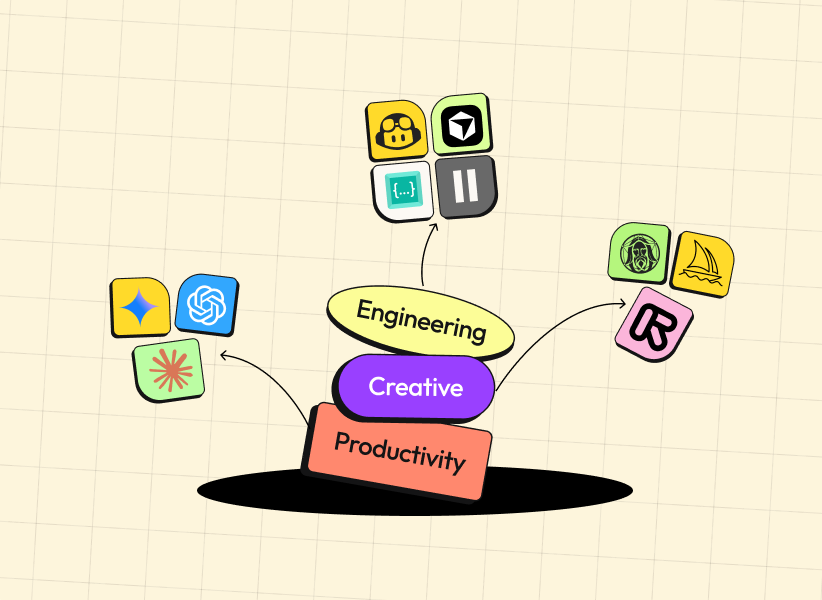
Are you searching for the best AI tools for beginners? In 2025, artificial intelligence has become incredibly accessible, offering powerful yet simple solutions that help students, creators, professionals, and entrepreneurs save time, enhance their skills, and boost productivity without requiring advanced technical knowledge.
This comprehensive, beginner-friendly guide lists the top AI tools available in late 2025. Each recommendation includes free or affordable options, clear use cases, and direct links to get started quickly.
1.1 General-Purpose Chatbots
These versatile chatbots are the best starting point for beginners because they handle almost any task — writing, brainstorming, research, planning, and more.

ChatGPT (OpenAI)
- Use cases: Writing emails, essays, brainstorming ideas, basic coding help, daily assistance.
- Why beginners love it: Free tier (GPT-4o mini), intuitive chat interface, vast knowledge.
- Pricing: Free with limits; Plus subscription for advanced features.
- Link: chat.openai.com
Google Gemini
- Use cases: Real-time research, multimodal tasks (text + images), integration with Google apps.
- Why beginners love it: Completely free, accurate up-to-date information, seamless with Gmail/Docs.
- Link: gemini.google.com
Claude (Anthropic)
- Use cases: Long-form writing, document analysis, ethical and detailed responses.
- Why beginners love it: Excellent at handling large texts, safe and helpful tone, free tier.
- Link: claude.ai
1.2 Specialized Research Assistants
Grok (xAI)
- Use cases: Conversational queries, real-time insights, creative problem-solving.
- Why beginners love it: Witty and truthful answers, free access via X (Twitter), no fluff.
- Link: grok.x.ai
Perplexity AI
- Use cases: Research with cited sources, quick fact-checking, academic questions.
- Why beginners love it: Shows sources, no login required for basic use.
- Link: perplexity.ai
2. Research & Analysis Tools
NotebookLM (Google)
- Use cases: Upload PDFs/notes and get summaries, audio overviews (podcasts), study guides.
- Why beginners love it: 100% free, turns complex documents into easy audio discussions.
- Link: notebooklm.google.com
Notion AI
- Use cases: Summarize notes, generate ideas, organize research within Notion workspaces.
- Why beginners love it: Built into the popular Notion app, free plan available.
- Link: notion.so/product/ai
Research Rabbit
- Use cases: Visual maps of academic papers, citation networks.
- Why beginners love it: Free and visual — great for students.
- Link: researchrabbit.ai
3. Creative & Design Tools
For more on emerging trends, check out our guide on Graphic Design Trends for 2025.

Midjourney
- Use cases: High-quality artistic images from text prompts.
- Why beginners love it: Stunning results with simple prompts (via Discord).
- Link: midjourney.com
Leonardo AI
- Use cases: Custom images, game assets, character design.
- Why beginners love it: Generous free credits, many style options.
- Link: leonardo.ai
Stable Diffusion (via web platforms)
- Use cases: Free local or online image generation.
- Why beginners love it: Open-source, privacy-focused options.
- Link: stability.ai
Runway ML / Pika Labs
- Use cases: Text-to-video and video editing.
- Why beginners love it: Fast, high-quality short clips with free tiers.
4. Coding & Development Tools

GitHub Copilot
- Use cases: Real-time code suggestions in VS Code and other editors.
- Why beginners love it: Acts like a pair programmer.
- Link: github.com/features/copilot
Cursor
- Use cases: Full AI-powered code editor based on VS Code.
- Why beginners love it: Free tier, explains and writes code naturally.
- Link: cursor.sh
Codeium / Tabnine
- Use cases: Free/privacy-focused code completion.
- Why beginners love it: Works offline or with strong privacy.
5. Audio & Voice Tools
ElevenLabs
- Use cases: Natural text-to-speech, voice cloning.
- Why beginners love it: Best voice quality, free monthly minutes.
- Link: elevenlabs.io
PlayHT
- Use cases: Multilingual voices, emotional tones.
- Why beginners love it: Large free plan.
6. Translation & Communication Tools
DeepL Translator
- Use cases: Accurate, natural-sounding translations.
- Why beginners love it: Better than Google Translate for formal text.
- Link: deepl.com
7. Education & Tutoring Tools
Socratic by Google
- Use cases: Photo-based homework help, step-by-step explanations.
- Why beginners love it: Free mobile app.
Khanmigo (Khan Academy)
- Use cases: Personalized tutoring across subjects.
- Why beginners love it: Affordable and trusted content.
8. AI Agents & Automation Tools
Zapier
- Use cases: Connect apps and automate workflows without coding.
- Why beginners love it: Huge free tier, thousands of integrations.
- Link: zapier.com
9. How to Choose the Right AI Tool as a Beginner
- Identify your main need (writing, research, design, coding, etc.).
- Always start with free tiers or trials.
- Check privacy policies if handling sensitive data.
- Read recent user reviews — AI tools improve rapidly.
- Don’t be afraid to try several tools; most are quick to test.
By starting with just one or two tools from this list, you’ll quickly see massive gains in productivity and creativity. For broader options, explore our Productivity Tools page.
10. Frequently Asked Questions (FAQs)
What are the best free AI tools for beginners in 2025?
Google Gemini, NotebookLM, ChatGPT free tier, Perplexity AI, and Zapier free plan are excellent starting points.
Which AI tool is easiest for complete beginners?
Google Gemini and ChatGPT — both have simple chat interfaces and no setup required.
Can beginners use AI for coding without experience?
Yes! Tools like GitHub Copilot and Cursor explain code and write it for you as you learn.
Are these AI tools safe and private?
Most offer strong privacy options. For maximum privacy, choose tools like Claude or local Stable Diffusion.
admin
Digital product designer and software engineer at Quadiz studio, sharing insights on conversion-driven UI/UX design, modern web development, and building scalable software.


